Merge PDF

Combine PDFs in the order you choose.

PDFSimple & FastUp to 20 files100% Private
Drop your PDFs here

or click to browse from your device

Preparing Merge PDF. File selection will be available shortly.PDFUp to 20 files100 MB total100 MB total · 500 pages total. Files stay on your device.
A LITTLE HELP, WHEN YOU NEED IT

How to use Merge PDF

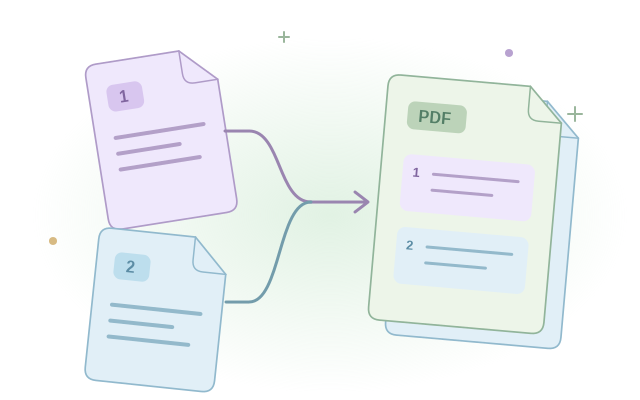
Combine related documents into one PDF, such as a report and its appendices. The order of the files determines the order of the finished pages.

  1. Choose the PDFs you want to combine.

  2. Drag the files into reading order and review the previews.

  3. Merge the files and open the downloaded PDF to check the page order.

Order files or order individual pages?

Merge joins whole files in sequence. If page 3 must move ahead of page 1, or you need only part of an attachment, use Organize Pages or Split PDF first.

Keep a copy of signed originals

Combining pages produces a new document. A signature image may remain visible, but that does not preserve a certificate-based signature or its verification status.

Before you save

Merge accepts up to 20 PDFs within the displayed file and page limits. Page content is copied, but document-level bookmarks, forms, accessibility tags, and digital signatures may not survive the merge.

Common questions

Will every page become the same size?

Merge copies each page with its original dimensions. A portrait letter and a landscape drawing can coexist in the output. Use Print PDF if you need a consistent sheet layout.

Why did my bookmarks or form fields change?

Page content and document-level features are different. Review forms, bookmarks and accessibility information after merging; keep the originals when these features matter.

THE FULL GUIDEPrepare a PDF for sharing, in the right order

Where processing happens

Your documents are processed in this browser. The site downloads the resources needed to run the tools, but your selected files are not uploaded for processing. Keep your original and save the result before leaving the workspace. Privacy policy · Report an issue

Unlock this PDF

Enter its password to continue in this tool. Your file and password stay on your device.