Split PDF

Extract the pages you need or split a PDF into separate files.

PDFSimple & FastOne file100% Private
Drop your PDF here

or click to browse from your device

Preparing Split PDF. File selection will be available shortly.PDFOne file50 MB per fileUp to 500 pages. Files stay on your device.
A LITTLE HELP, WHEN YOU NEED IT

How to use Split PDF

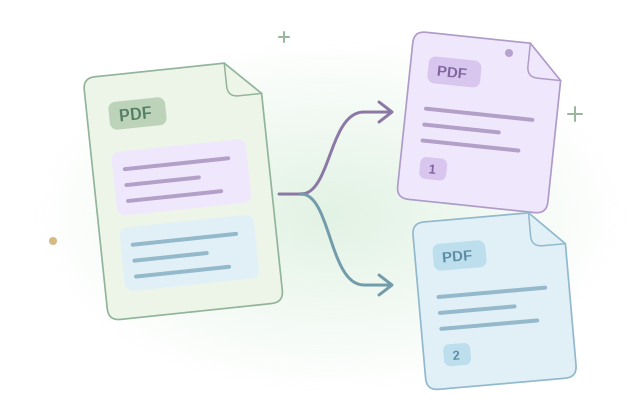
Extract the pages you need without sending the entire document. Use a selection for one extract, or page groups for separate outputs.

  1. Choose a PDF and review its page thumbnails.

  2. Select pages or enter ranges such as 1-3, 5. Check the selected page count.

  3. Split the document and download the resulting PDF or archive.

One page per file or selected ranges

Choose separate pages when you need individual files. Use grouped ranges when a chapter must stay together. Multiple outputs may arrive in a ZIP archive; extract it before sharing a particular PDF.

Check both ends of a range

The first and last page are included. Confirm that a section’s heading, footnotes and continuation pages are not accidentally left behind.

Before you save

Page numbers refer to the PDF page order, which can differ from numbers printed on the page. Check grouped outputs before sharing them; interactive forms and document-level information may change.

Common questions

Does splitting erase the original?

No. The tool makes new downloads. Your original file on the device is unchanged.

Can I put pages in a different order?

Use Organize Pages for a visual reorder, then download the arrangement. Splitting is most useful for selecting page groups.

THE FULL GUIDEPrepare a PDF for sharing, in the right order

Where processing happens

Your documents are processed in this browser. The site downloads the resources needed to run the tools, but your selected files are not uploaded for processing. Keep your original and save the result before leaving the workspace. Privacy policy · Report an issue

Unlock this PDF

Enter its password to continue in this tool. Your file and password stay on your device.